Do You Need a DAW or an Online Audio Editor?
If the task in front of you is a single change to a file you already have, you almost certainly want an online audio editor — something like the audio cutter, which takes one file and hands one back — rather than a DAW. The dividing line is not how serious you are about the work. It is whether you are making an edit or a production. Converting, trimming, joining, de-noising, leveling and separating vocals are edits. Arranging six parts with MIDI, plugins and automation is a production. This guide sorts the jobs into those two piles, one job at a time.
The one-line rule
A DAW (digital audio workstation) builds a multitrack project — many parts arranged together on a timeline — while an editor changes a file that already exists.
That is the whole test, and it works better than any feature checklist. If your finished thing started life as one recording and ends life as one recording, you are editing. If it ends up as something assembled from parts that never existed together as a single take, you are producing. Most arguments about whether someone needs a proper DAW dissolve once you ask which of those two you are actually doing.
Jobs that never need a DAW
Every row below is a single transformation applied to files you already have — no timeline, no track stack, no plugin chain.
| The job | What it actually takes | Where it happens |
|---|---|---|
| Change the format (MP3 to WAV, FLAC to MP3) | Decode, then re-encode | Audio converter |
| Trim, top-and-tail, or grab one section | Two points on a waveform, then export | Audio cutter |
| Put two or more files end to end | Sequential joining at matched settings | Audio joiner |
| Clean up hiss, hum, or room noise | Spectral processing, or an AI speech model | Noise reducer |
| Bring a file to a loudness target | LUFS measurement, then a gain move | Volume normalizer |
| Polish a finished mix for release | An EQ, compression and limiting chain | Audio mastering |
| Take the vocal out, or keep only the vocal | AI source separation | Vocal remover |
| Break a song into vocals, drums, bass and other | The same separation model, four outputs | Stem splitter |
| Find the tempo | Onset detection across the file | BPM finder |
| Find the musical key | Chroma analysis against key profiles | Key finder |
| Get the audio out of a video file | Extracting the audio stream | Video to audio |
| Fix the title, artist, or cover art | Rewriting the tag block, not the audio | Metadata editor |
| Shape the tone, or bring the level up | A filter curve, or a gain stage | Equalizer, volume booster |
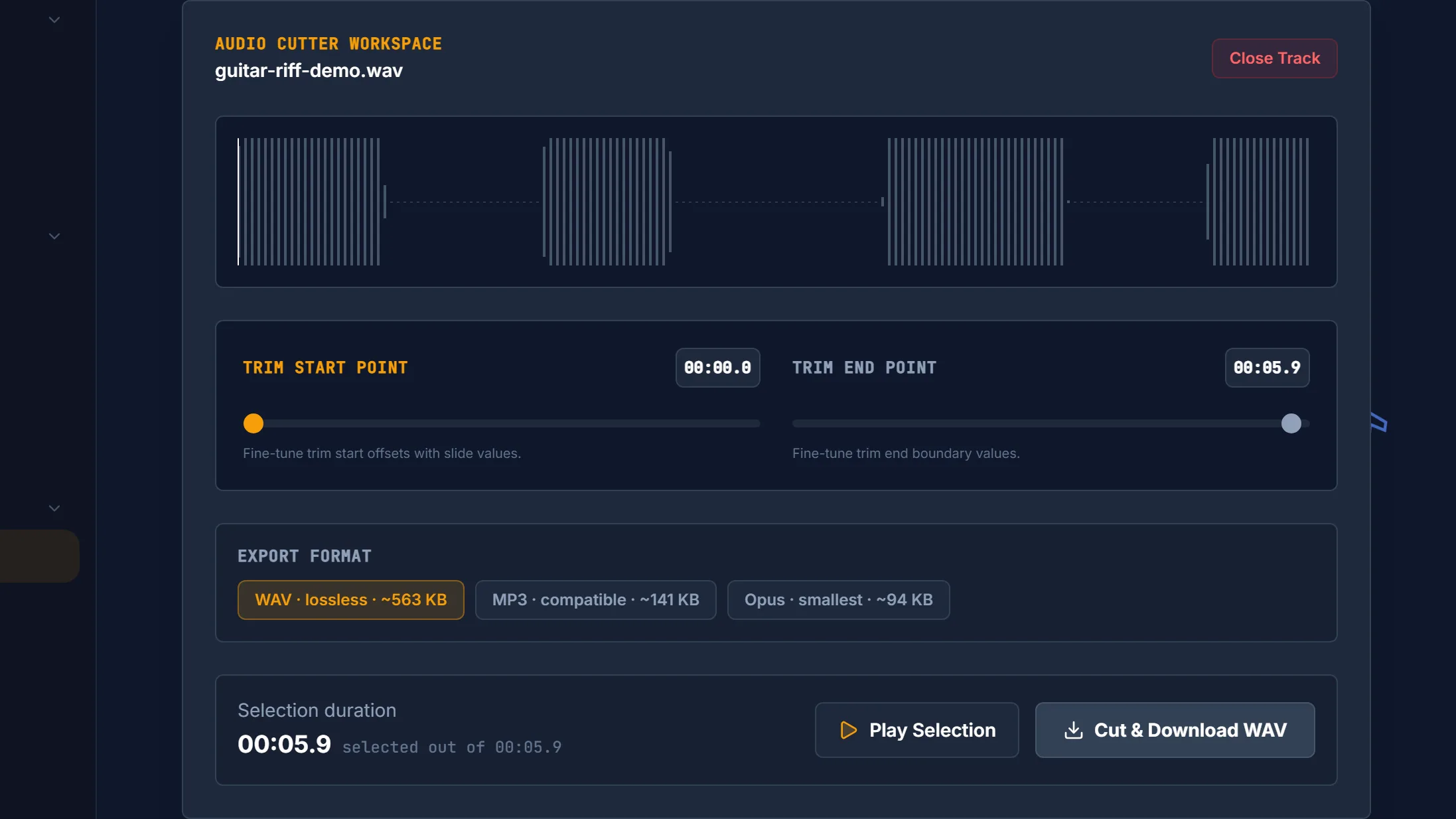
What makes these jobs cheap is not that they are easy — separating a vocal is a hard computational problem — but that none of them needs a project. A DAW's overhead is ceremony: create a session, pick a sample rate, import, edit, then work out which bounce settings give you back the file you actually wanted. For a thirty-second edit, that ceremony is most of the work.
Two honest caveats. Conversion and trimming both decode the audio and encode it again, so quality depends on what you encode to: converting between lossless formats such as WAV and FLAC keeps everything, while any lossy-to-lossy hop re-encodes and loses a little. Exporting to WAV avoids that second loss entirely, which is the short version of cutting audio without losing quality. And bringing a file to a loudness target is a real measurement, not a vibe — it is worth knowing what LUFS actually measures before you trust any number.
The AI rows are a different species. Splitting a finished song back into stems needs a trained separation model, which is why it was not a standard editing operation until recently. Running that model in a browser is free and keeps your file on your own machine, but it is not instant: the first run downloads the model, and the separation itself takes real time on your own CPU. That is the trade you are making, and it is a fair one for most people.
Jobs that genuinely do need a DAW
Do not let anyone talk you out of a DAW you actually need. If any of these describes your work, install one and stop reading comparison articles:
- Multitrack arrangement. Several parts playing at once, each independently movable, muteable and re-balanceable. This is the founding purpose of the format, and nothing else handles it as fluidly.
- MIDI and virtual instruments. Notes as data rather than sound, driving software instruments. If you want to change a wrong note or swap a piano for strings after the fact, you need MIDI.
- VST/AU plugin chains. Loading specific third-party processors in a specific order on a specific track.
- Automation over time. A filter opening across eight bars, a fade that follows a curve you drew, a send that swells only in the chorus.
- Comping takes. Recording a part five times and assembling the best moments of each into one performance.
- Latency-critical monitored recording. Hearing yourself through effects, in time, while you play. This is where an audio interface and low buffer settings earn their money. Capturing a single take without live monitoring is a different, much lighter job — you can record straight in a browser for that.
- Session recall. Coming back next week and changing one decision without redoing the rest. This depends on non-destructive editing: destructive editing writes your changes into the file, while non-destructive editing stores them as instructions applied during playback, leaving the original untouched. Most modern DAWs are non-destructive by default, which is why a project you saved a year ago is still fully editable.
Free desktop editors are free, not frictionless
If you have decided you need something installed, the good news is that capable free audio editing software genuinely exists. The less good news is that "free" describes the price, not the effort.
| Option | Cost | The catch |
|---|---|---|
| Audacity | Free, open source under the GPL | Runs on Windows, macOS and Linux, does multitrack recording, and hosts VST/VST3/AU plugins. But its own manual states that only limited editing is possible on Note (MIDI) tracks — cutting, pasting and deleting — and piano-roll editing and virtual instruments are not implemented. |
| GarageBand | Free | No Windows version, a 731.9 MB download, and requires macOS 15.6 or later, per its Mac App Store listing. |
| Waveform Free | Free | Genuinely free on macOS and Windows, with VST/VST3/AU support. The catch is the one every desktop app shares: a download, an install, and a layout to learn. |
| Pro Tools Intro | Free, no time limit | Capped at 8 audio tracks. It replaced Pro Tools First in 2022. |
| Cakewalk Sonar | Free tier | Windows only, and requires a BandLab account plus periodic reactivation. It replaced Cakewalk by BandLab, which was discontinued in 2025. |
| Logic Pro | $199.99 one-time on the Mac App Store, or $12.99/month or $129/year | A 1.4 GB app download, with a much larger optional sound library on top. |
| FL Studio | From $99, with all future updates to your edition included free | The entry Fruity edition cannot record audio at all — audio recording starts at Producer. |
Read down the right-hand column and a pattern shows up. Free tiers are real software with real limits, and paying does not automatically buy you the basic job: FL Studio's entry edition is a genuine, permanently-updated DAW that will not record a microphone. Meanwhile the cost nobody puts on the page is time — the download, the install, the first hour spent finding out where the export button lives.
Audacity is still the default answer when someone asks for free audio editing software, and it is what most people mean when they go looking for an Audacity alternative. It has been stewarded by Muse Group since April 2021, the same owner as MuseScore and Ultimate Guitar, and Audacity 4 is in public beta with a Qt-based interface rewrite. Historically it was a destructive editor, though recent versions have added non-destructive clip trimming. For multitrack work with plugins, it remains an unusually generous free option. For changing one file once, it is still an install you did not need.
What an online audio editor genuinely cannot do
Four limits are worth knowing before you commit to a browser tab:
- No VST or AU plugin hosting. This is architectural, not a missing feature. The browser sandbox cannot load local native binaries, and VST and AU plugins are native code compiled against an operating-system ABI, whereas browser code must be JavaScript or WebAssembly. Web Audio Modules exists as a browser-native plugin format, but it is a separate ecosystem — your existing plugin folder does not transfer.
- No MIDI tracks or virtual instruments. Browser tools process audio you already have. They do not generate performances from note data.
- Your own hardware is the ceiling. There is no server farm behind a client-side tool, so a very long file on an old laptop is limited by that laptop's RAM and CPU. That cuts both ways: no server means no queue and no upload, but also no borrowed horsepower.
- AI features are not free of waiting. The first use of a separation or noise-reduction model downloads that model to your browser, and processing then runs on your own processor and takes real time.
The broader speed-and-capability trade between the two worlds is worth reading once in full, and we cover it separately in browser-based vs desktop audio tools.
The split nobody in the online-editor results mentions
Search for a free online audio editor and you get a page of results that all look alike. The difference that matters is not the feature list. It is where your file goes when you drop it in — and many of them upload it, process it on a server, and send back a download. Cloud DAWs are explicit about this by design: BandLab and Soundtrap (Spotify-owned) both run in a browser, and cross-device sync and real-time collaboration are what that server-side architecture buys them. That is a design choice, not a criticism — you cannot collaborate in real time on a file that exists only on one laptop.
Client-side tools work the other way round. Vocal Cut has no backend and no account: every tool decodes and processes audio in your own browser, so your audio never leaves your device. The traffic that does happen runs the other direction — the AI models, the WebAssembly runtime and the conversion engine download to you from our CDN on first use, then cache. If you are handling an unreleased track or a client recording, it is worth checking which kind of tool you are using before you drop the file in.
A 30-second decision checklist
Work down the list and stop at your first yes.
- Does the finished piece need several parts playing at once that never existed as one recording? → DAW.
- Do you need MIDI, a virtual instrument, or one specific VST/AU plugin? → DAW.
- Do you need to hear yourself through effects while recording? → DAW, plus an audio interface.
- Will you want to reopen this next month and change one decision without redoing the rest? → DAW, for the non-destructive project file.
- None of the above? → An online audio editor. Find your job in the table above and you are finished in a browser tab.
A solo podcaster working one file per episode can record, de-noise, trim and normalize entirely in the browser — that whole chain is walked through in our beginner's raw-recording-to-finished-edit workflow. A singer or karaoke host who needs an instrumental wants the vocal remover, not a studio. For the concepts underneath these decisions, the rest of our audio explainers go deeper.
Frequently asked questions
Do I need a DAW just to cut or convert a file? No. Cutting and converting are single-file jobs with no timeline, no track stack and no plugins involved, so a DAW adds project setup you never use. A browser editor opens, takes the file you already have, and exports in one pass. Reach for a DAW only when the result is assembled from several parts playing together.
Is an online audio editor good enough for a podcast? For a solo or single-file episode, usually yes. Recording a take, reducing background noise, trimming mistakes and normalizing loudness are all one-file jobs a browser tool handles well. A DAW starts earning its place once you are layering several speakers recorded separately, running music beds under speech, or comping multiple takes into one edit.
What is the best free Audacity alternative? It depends on the job. For desktop multitrack work with plugin support, Waveform Free is genuinely free on macOS and Windows, and Pro Tools Intro is free with no time limit but capped at 8 audio tracks. On a Mac, GarageBand is free. If you only need to change one file once, a browser editor skips the install altogether.
Can I use a browser editor with my VST plugins? No, and it is a structural limit rather than a missing feature. The browser sandbox cannot load local native binaries, and VST and AU plugins are native code compiled against an operating-system ABI, while browser code must be JavaScript or WebAssembly. Web Audio Modules is a browser-native plugin format that exists as an alternative ecosystem.