MP3 vs WAV vs FLAC: Which to Use
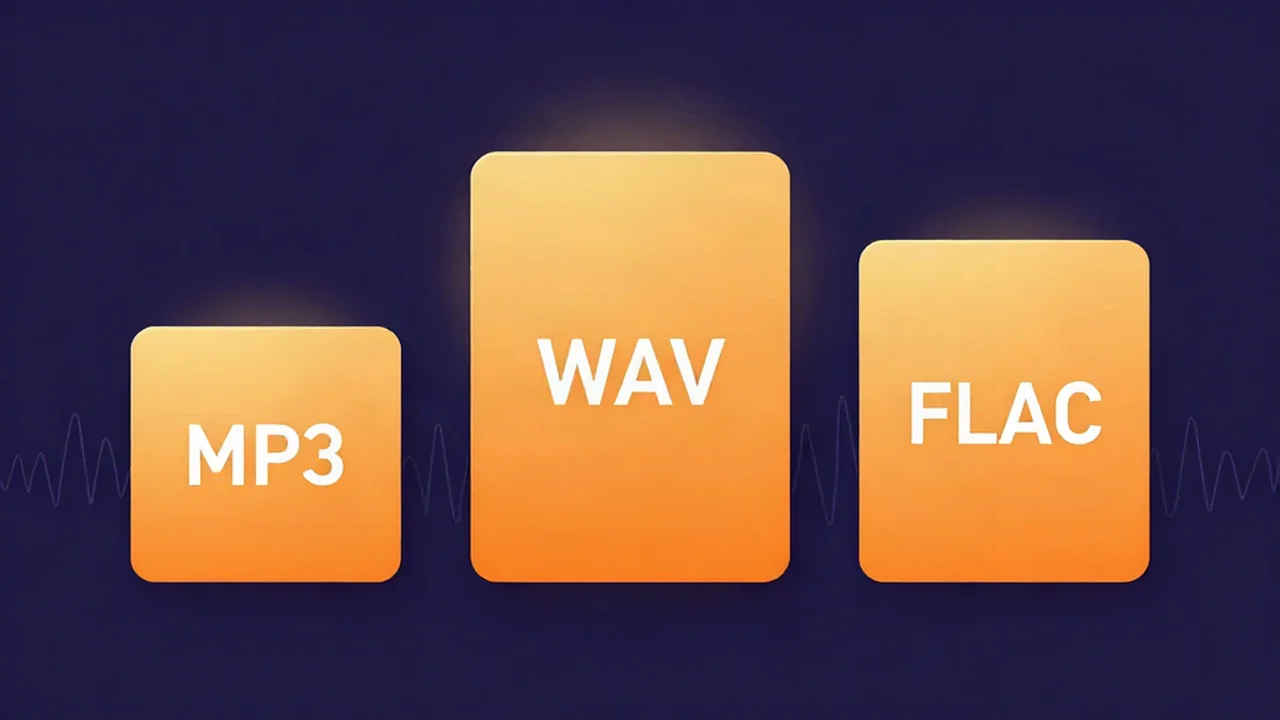
MP3 vs WAV vs FLAC is really a choice between three jobs, not three qualities: use MP3 for sharing, uploading, and everyday listening; WAV for recording, editing, and holding a master while you work; and FLAC for archiving a library at full quality without eating a whole drive. All three are common, all three have a clear home, and the browser-based audio converter moves a file between them for free — your audio never leaves your device, and there's no account or upload step. The rest of this guide is the reasoning, the real file sizes, and the one conversion that quietly wastes your time.
At a glance
Here's the whole comparison in one table. Sizes are approximate — they shift with the material and settings — but they're the right ballpark for a 3-minute song at CD quality (44.1 kHz, 16-bit stereo).
| MP3 | WAV | FLAC | |
|---|---|---|---|
| Type | Lossy (compressed, discards data) | Lossless, uncompressed (PCM) | Lossless, compressed |
| Size (3-min song) | ~4.3 MB at 192 kbps, ~7 MB at 320 kbps | ~30–32 MB | ~15–20 MB (roughly half of WAV) |
| Sound quality | Very good at high bitrates; not bit-perfect | Bit-perfect original | Bit-perfect — identical to WAV when decoded |
| Best for | Sharing, streaming, phones, uploads | Recording, editing, DAW masters | Archiving a music library |
| Compatibility | Universal — plays on virtually everything | Universal for editing; playable everywhere | Broad, but weaker on some older/mobile players |
| Metadata / tags | Full support (ID3 tags) | Limited historically | Full support |
Read across and the pattern is clear: MP3 trades a sliver of fidelity for a tiny file, WAV keeps everything at the cost of size, and FLAC tries to have both — full quality at about half the WAV size. None is "best" in the abstract; each wins a specific job. If the lossy-versus-lossless idea underneath this is new to you, lossy vs lossless audio unpacks it in one page.
MP3
MP3 is the format that made portable music possible, and it's still the safest bet when you need a file to just play somewhere. It's lossy — meaning it permanently deletes parts of the signal your ears are least likely to notice, then stores a much smaller approximation. That's why a full song fits in a few megabytes instead of thirty. What is an MP3 file goes deeper on how the encoding works.
Its strengths are hard to beat for delivery. Compatibility is effectively universal — phones, cars, browsers, smart speakers, cheap players from a decade ago all handle MP3 without a thought. Files are small, tagging is fully supported (title, artist, album art), and at a healthy bitrate the quality is genuinely good.
The weakness is baked into the format: whatever the encoder discards is gone for good, and you can't get it back by converting later. How much it discards depends on the bitrate — the data budget in kilobits per second. A 320 kbps MP3 throws away little and is hard to distinguish from the source on most systems; a 128 kbps MP3 saves more space but starts to smear cymbals and reverb tails. (Bitrate vs sample rate untangles those two dials, which get mixed up constantly.) The other trap: because MP3 is lossy, re-encoding it repeatedly stacks damage. Edit an MP3, export a new MP3, edit that, export again, and each pass sounds a little worse. MP3 is a great place for audio to end up — not a great place to work.
WAV
WAV is the opposite philosophy: keep every bit, worry about size later. A WAV file stores raw PCM (pulse-code modulation) samples — the uncompressed digital audio itself, written out with essentially no packing. Nothing is squeezed, so nothing can be lost in the squeezing. Decode a WAV and you get back exactly what went in, sample for sample. What is a WAV file covers the container in detail.
This is why WAV is the working format of choice. Every DAW and editor reads and writes it natively, it's fast for a computer to open, and — crucially — you can save it over and over with zero cumulative quality loss. That makes it the right home base while a project is open, which is exactly what best file formats for audio editing recommends. It's your source, your master, the thing you edit and mix before anything gets compressed.
The cost is size. A 3-minute song runs around 30 MB, roughly ten times a decent MP3, and a full album of WAVs devours storage fast. The other historical quirk is metadata: WAV had no real tagging system for years, so title/artist/album-art support is limited and inconsistent compared with MP3 or FLAC. WAV is excellent for making and editing audio, and clumsy for storing a library of it — which is exactly the gap FLAC fills.
FLAC
FLAC (Free Lossless Audio Codec) is the format that refuses to compromise on quality while still shrinking the file. It's lossless, compressed: it packs the audio using reversible compression — the same principle as a ZIP file — then unpacks it back to a bit-perfect copy on playback. A FLAC made from a WAV contains identical audio to that WAV; it's simply the same content taking less space. What is a FLAC file explains the mechanics, and if the compression idea is fuzzy, an audio codec is just the scheme that does the packing.
The payoff is real: FLAC typically lands around half the size of the equivalent WAV — roughly 15–20 MB for our 3-minute song — with no quality trade at all. It also supports full metadata and cover art, so a FLAC library is properly organized. For keeping a collection at full fidelity without a wall of hard drives, it's the sensible choice.
Its one genuine weakness is reach. FLAC plays fine on modern desktop players, phones, and most current software, but support is thinner than MP3 on older hardware, some car systems, and a few mobile apps — the very places MP3 sails through. And the compression, while free in quality, costs a little CPU to decode, which no modern device actually notices. FLAC is the archivist's format: bit-perfect like WAV, far smaller, occasionally less convenient to hand to someone else's random device.
Which format should you use?
Skip the format-by-format agonizing and decide by what you're doing with the file:
- Sending a file to someone, or posting it online? Use MP3 at 192–320 kbps. It's small, it plays everywhere, and the quality is more than good enough for listening.
- Uploading to a streaming platform or a distributor? Follow their spec — most want a high-quality WAV or FLAC master and do their own lossy encoding on their end. Handing them a fresh MP3 means they re-compress an already-compressed file, which stacks loss. Give them lossless.
- Recording, editing, or mixing? Use WAV. It re-saves without any generation loss and every editor speaks it fluently, so it's the safe working format while a project is live.
- Archiving a whole collection? Use FLAC. You keep WAV-identical quality at roughly half the storage — the efficient way to hold a library long-term.
- Want maximum quality at a reasonable size for personal listening? Use FLAC if your player supports it; fall back to a 320 kbps MP3 where it doesn't.
The one-line model: work in WAV, archive in FLAC, hand out MP3. You can always make a fresh MP3 from a lossless master, but you can never rebuild a master from an MP3.
Converting between them
Converting is where the lossy-versus-lossless rule earns its keep, because direction matters:
- WAV to FLAC (or FLAC to WAV) is lossless and safe. Both keep every bit, so you can move between them as often as you like with no quality change — that's just repackaging the same audio.
- WAV or FLAC to MP3 is a final delivery step. It's lossless-to-lossy, so the encoder discards detail to shrink the file, and that loss is permanent. Do it once, at the end, from your master.
- MP3 to WAV or FLAC does not restore quality. This is the conversion that fools people. Wrapping an MP3 in a lossless container gives you a much bigger file that still holds the same approximate audio — the detail MP3 threw away is gone, and no format can invent it back. You get size, not fidelity.
When you do need to move a file between formats, how to convert audio formats walks through the choices. On vocalcut.com, the audio converter handles all three in your browser — free, no account, and your audio never leaves your device. It's a hybrid: MP3, WAV, and Opus use built-in native encoders with nothing extra to download, while FLAC, OGG, M4A, and AAC use an ffmpeg engine that fetches from our CDN once (about 20 MB), then stays cached for later. Everything is processed locally on your own machine — files are never uploaded to a server. This guide is one of a set of plain-language audio explainers if you want to go further on formats, bitrate, and codecs.
Frequently asked questions
Is FLAC better than WAV? For most people storing music, yes — but only on size, never on sound. Both are lossless, so the audio quality is identical; FLAC just compresses it to roughly half the space and decodes back bit-for-bit. WAV's advantage is speed and universal editor support while you're actively working. Many people mix in WAV and archive the finished result as FLAC, getting the best of both.
Can I convert MP3 to WAV to improve quality? No. This is the single most common misconception about formats. An MP3 has already discarded audio data permanently, and saving it into a WAV or FLAC container doesn't bring any of it back — it just produces a much larger file holding the same approximate sound. You get a bigger file, not a better one. Quality can only be preserved from the source forward, never restored after the fact.
Which format is best for streaming or uploading? Upload the highest-quality master the platform accepts — usually WAV or FLAC — and let it do the lossy encoding. Streaming services re-compress whatever you send, so handing them an MP3 makes them compress an already-compressed file, stacking loss. If you're the one sharing a finished file directly with listeners, a 320 kbps MP3 is small and plays everywhere.
Does FLAC lose quality? No. FLAC is lossless, so decoding it returns the exact original audio, bit-for-bit — the same content as the source WAV, just stored more efficiently. The compression is fully reversible, like zipping and unzipping a file. You can convert WAV to FLAC and back indefinitely with no degradation. The only thing FLAC gives up versus WAV is a little decoding effort, which no modern device notices.
What's the best all-around format? There isn't one that wins every job — that's the whole point. If forced to pick a single everyday format, MP3 at 320 kbps is the most universally playable at a small size, which is why it's still everywhere. But keep a lossless copy (WAV or FLAC) of anything you might edit or re-release later, and generate MP3s from it as needed. Match the format to the task and you'll never be stuck.